1. Prepare your source
Use one TSV, CSV, semicolon-separated or gzip file. Record its trait, ancestry and GRCh37 or GRCh38 reference build.
Prepare the source, review its fields and follow the result into the locus browser and report.
Use one TSV, CSV, semicolon-separated or gzip file. Record its trait, ancestry and GRCh37 or GRCh38 reference build.
Choose Whole GWAS study. Upload your file, or select Import from link and supply the public HTTPS file URL, original byte count and SHA-256.
Review the recognized fields and map the required association columns. Resolve the validation errors before starting the analysis.
Start the validated study. Progress distinguishes source transfer from scientific processing. Your analyses retains the result in your signed-in workspace.
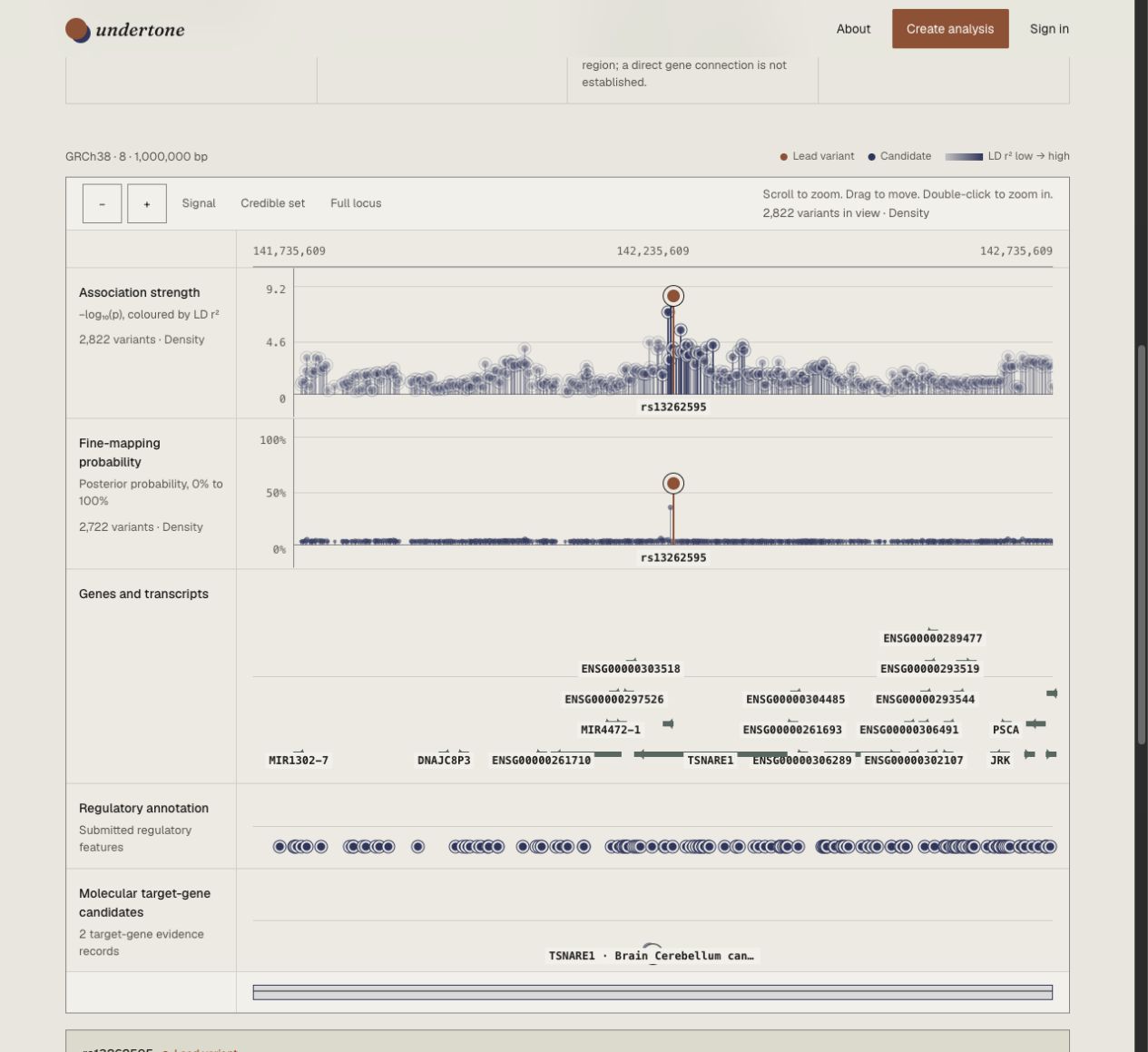
Open Loci and browser, choose a locus, and inspect the association and fine-mapping tracks. Select a variant, gene or molecular feature to read its evidence.
Practise on the public OCD analysisOpen a completed analysis and choose Download report. Review the genome-wide results, candidate variants, locus view, methods and coverage in the PDF.
Open the public example